Tooling
Your .lnk Files Are Snitching on You — LnkScrubber
Windows shortcut files (.lnk) are everywhere. They sit on desktops, live in Recent folders,
and get bundled into payloads. What most people don't realize is how much metadata a .lnk
file can quietly carry — including host and path information that may reveal details about the
environment associated with its target.
What's Inside a .lnk File?
The MS-SHLLINK binary format
is well-documented by Microsoft, but few people dig into it.
Beyond the obvious fields like target path and arguments, every .lnk file can contain a
TrackerDataBlock in its ExtraData section. This block stores:
- MachineID: The NetBIOS name of the machine where the link target was last known to reside (for example,
DESKTOP-A1B2C3D). - Droid: A VolumeID and ObjectID representing a last-known file location.
- DroidBirth: A VolumeID and ObjectID associated with the target's original tracked location.
Microsoft defines these four Droid values as GUIDs used by the Distributed Link Tracking service. Importantly, the specification does not require them to be UUID version 1, so a parser should not automatically treat their bytes as a MAC address and timestamp. The exact field definitions are in Microsoft's TrackerDataBlock documentation.
Why This Matters
From a red team perspective, if you're crafting a .lnk payload or including shortcuts in a
phishing package, you might expose a hostname, username, internal path, arguments, or other details
about the environment associated with the link target. When a Droid GUID genuinely uses UUIDv1,
additional node and time fields can also be interpreted — with important limitations discussed below.
From a blue team / DFIR perspective, this can be useful evidence. The TrackerDataBlock
normally survives byte-for-byte copying, email attachment handling, and ZIP compression, although
software that rewrites the shortcut may alter or remove it. The MachineID describes the machine where
the target was last known to reside; it is not guaranteed to identify the machine that authored the shortcut.
When a Droid GUID Is UUIDv1
GUID and UUID are often used interchangeably, but that does not mean every GUID follows a particular UUID generation algorithm. Microsoft explicitly notes this distinction in the Distributed Link Tracking glossary. A parser must inspect the version and variant bits before interpreting a Droid value as UUIDv1.
If a value is valid UUIDv1, the current UUID standard, RFC 9562, defines:
- A 60-bit timestamp: 100-nanosecond intervals since October 15, 1582.
- A 48-bit node ID: Either an IEEE 802 MAC address or a randomly generated value.
Even then, the node field is not automatically a hardware MAC. Vendor OUI lookup is meaningful only when the node appears to be a globally administered MAC, and an OUI can provide a clue — not proof — of a particular vendor, hypervisor, or physical machine. MAC addresses can also be spoofed.
The UUIDv1 timestamp records when that identifier was generated, which is not necessarily when the
shortcut was created. A volume or file identifier may predate the .lnk. The safe labels are
therefore UUID node value and UUID generation time, accompanied by the UUID version and
confidence notes. A TrackerDataBlock contains four GUIDs — the Volume and File values in
Droid, plus their DroidBirth counterparts — but each must be evaluated separately.
LnkScrubber
I wrote LnkScrubber to solve this problem. It's a C# command-line tool that parses .lnk
files and gives you full visibility into what they contain, then lets you clean them up.
Parse a .lnk and dump its metadata as JSON:
LnkScrubber.exe -f payload.lnk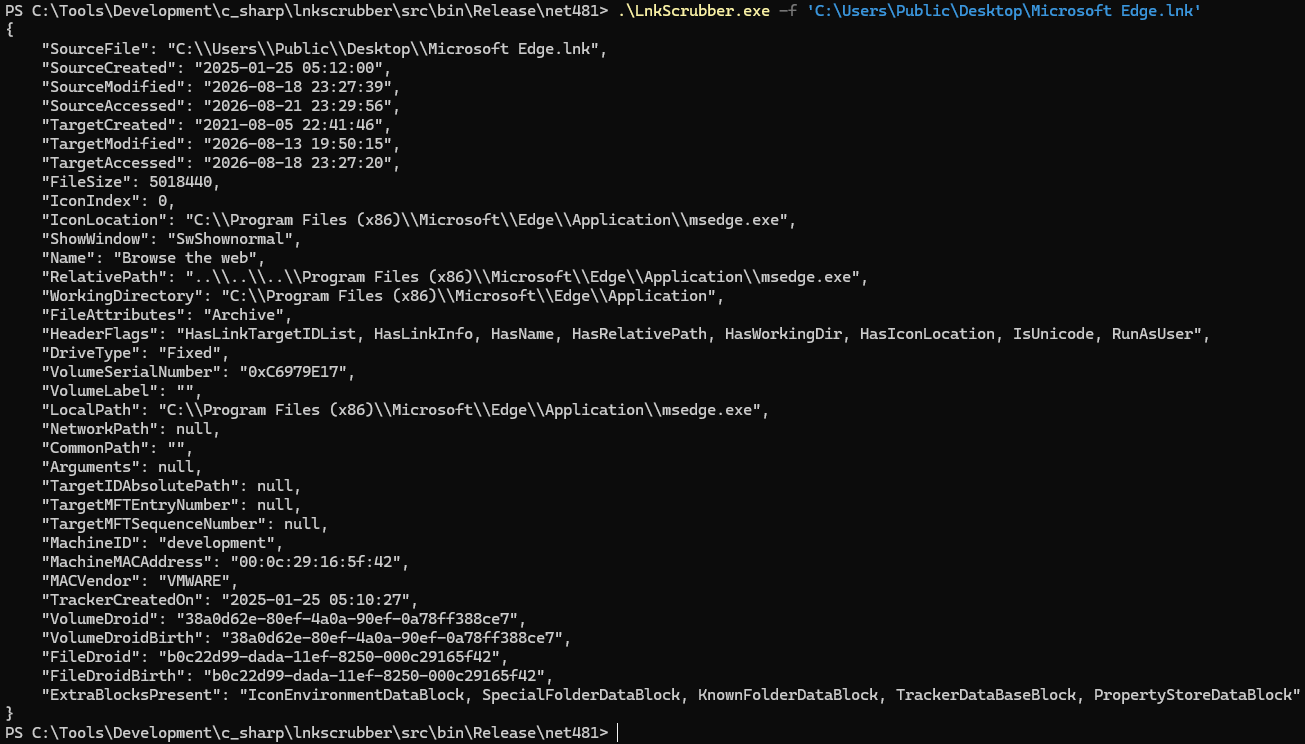
The output includes all header fields, target timestamps, link info, string data, and the
full TrackerDataBlock breakdown. UUID-derived node, vendor, and time values should be
treated as conditional interpretations: first confirm UUIDv1, then distinguish a possible hardware
MAC from a random node value, and never describe the UUID time as the shortcut's creation time.
Strip
Remove the TrackerDataBlock entirely:
LnkScrubber.exe -f payload.lnk --strip-tracker --out-lnk clean.lnk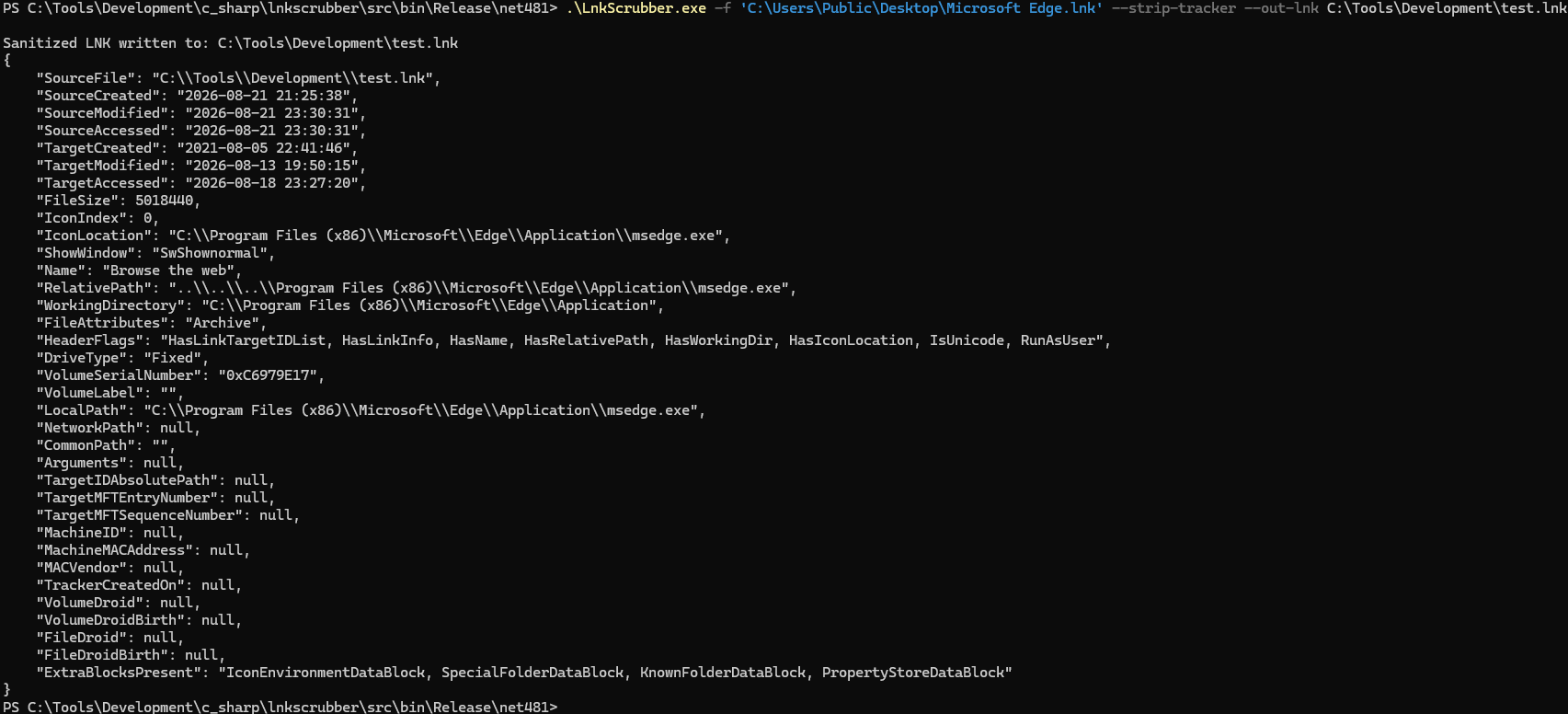
Anonymize
Replace the tracker data with randomized values: a random DESKTOP-XXXXXXX hostname,
a synthetic locally administered node value, and a random UUID generation timestamp within the past year.
LnkScrubber.exe -f payload.lnk --anonymize --out-lnk anon.lnk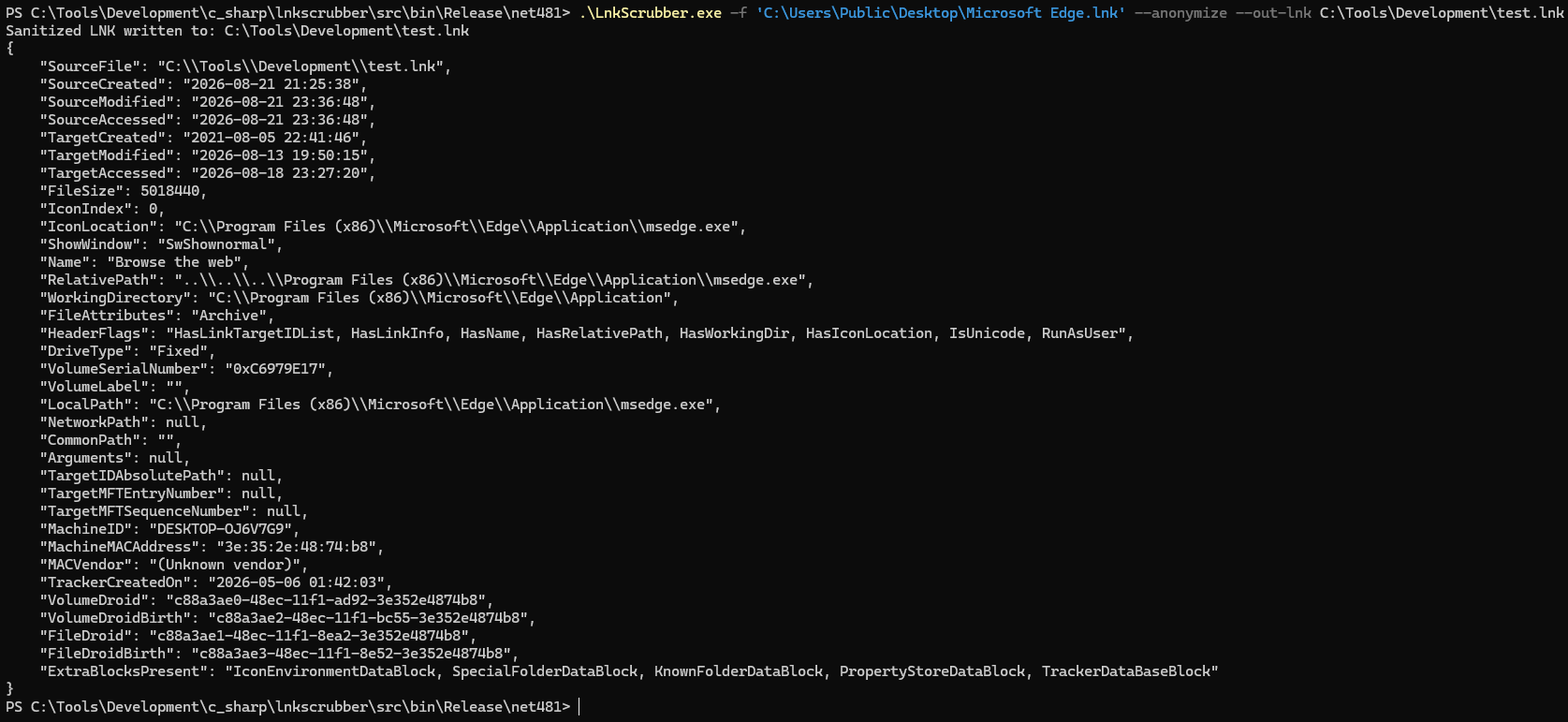
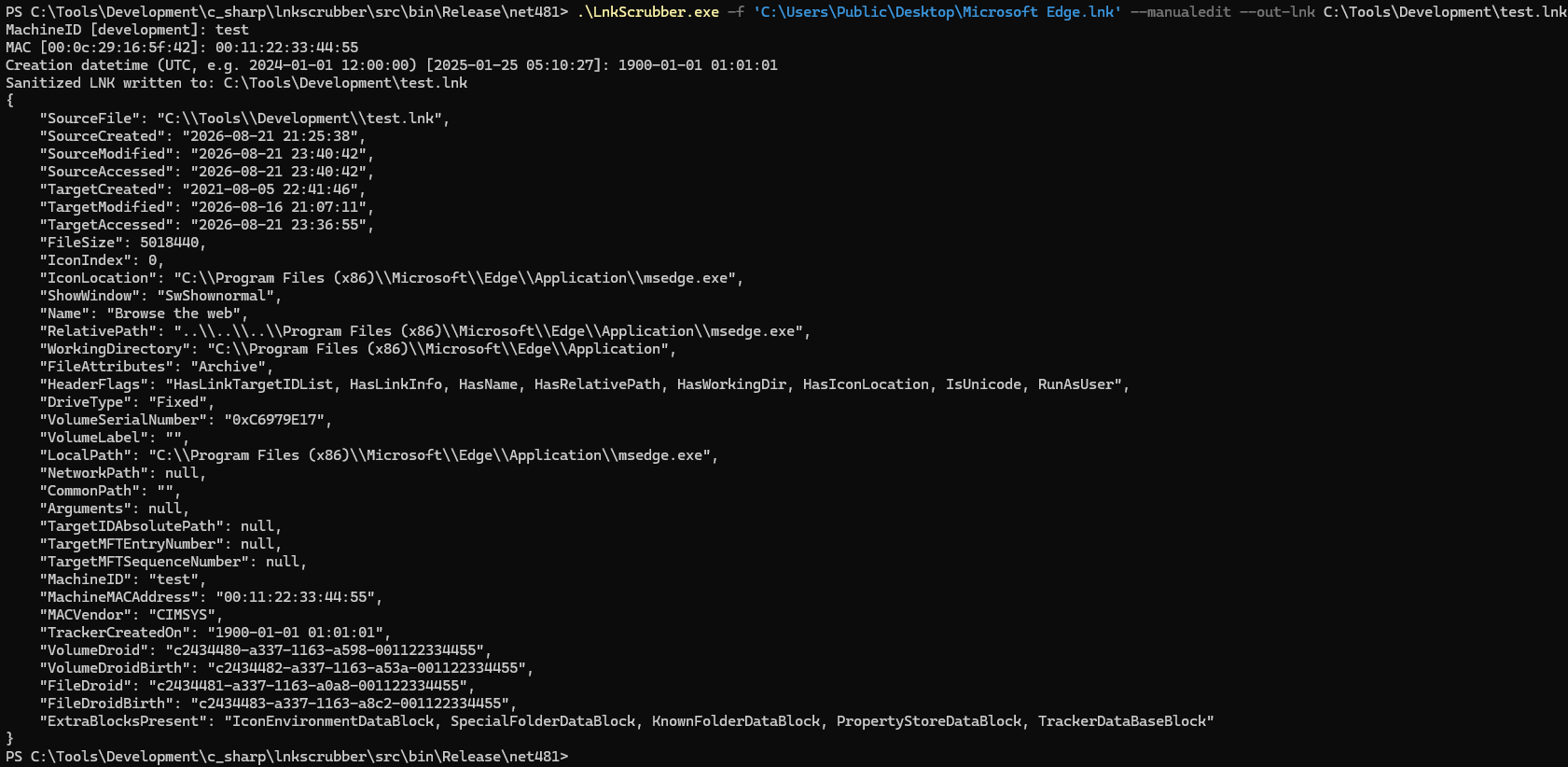
Manual Edit
Set specific values interactively:
LnkScrubber.exe -f payload.lnk --manualedit --out-lnk custom.lnkManual mode prompts for MachineID, node value, and UUID timestamp, defaulting to the current values so you can selectively change what you need. These UUID-specific fields are meaningful only for Droid values that are represented as UUIDv1.
Other Fields Worth Reviewing
The TrackerDataBlock can contain useful environmental evidence, but don't overlook:
- RelativePath and WorkingDirectory: May contain usernames or internal paths.
- Arguments: Command-line arguments can reveal internal infrastructure.
- Name/Description: Sometimes auto-populated with identifying info.
- IconLocation: Can reference local or internal paths.
LnkScrubber dumps all of these in its JSON output so you can review before shipping.
LnkScrubber is available on GitHub.
It's a single self-contained executable with no external dependencies — drop it in your toolkit and
run it against any .lnk before it leaves your environment.
Acknowledgments
LnkScrubber's parser was inspired by Eric Zimmerman's LECmd, the LNK Explorer command-line tool that served as the starting point and technical reference behind the parser design.